Runtime Procedural Generation

A tower defense game

Overview

Starting off as a tech demo, it has grown into an ongoing part time project with my friends. Currently, I'm leading the development of the core feature: procedurally generated buildings, interactable in realtime.

The realtime PCG pipeline:

Building data managed in CPU
(Bezier splines, Oriented bounding boxes, and analytical shapes)

  ↓   Pass to GPU buffers

Compute shaders generate transforms for each brick mesh

  ↓   Append transforms to a buffer

Cull unseeable brick meshes (visible and shadows)

  ↓   Append survived instance to another buffer for render

Draw all remaining meshes using RenderMeshIndirect API

Duration

07/2025 - now

Tools

Unity, URP, C#, HLSL, Unreal

In this page:
#Trial and error
#Realtime procedural generation
#Rendering optimization
#Aesthetic
#Editor Tool
Trial and error

First attempt: Houdini or Unreal PCG Graph, just won't work in packaged builds :(

I quickly tried and eliminated Houdini + Unreal, while it's great for offline procedural assets, I didn't find a way to hook it up to real time generaion in editor, let alone a packaged build.

Second try: Unreal PCG Graph. It has already laid out the system, plus the better visual in Unreal, it's a no-brainer to try this idea.

A working prototype was quickly developed, everything worked fine, except for the packaged build...

After digging deep in the engine's source code, I found out that some features supporting "Generate On Demand" node is only available in the Editor.
I tried bypassing the editor check with no success, I suspect some other features this node uses only exist in the Editor instance.

Relunctantly, I had to give up this route.

^ Looks good in editor, but not anymore in the packaged build.

^ Debugging the feature in the packaged build, even with some tweaks, the runtime PCG doesn't produces smooth transition


Second attempt: handcraft PCG on spline in Unity, CPU heavy, hit performance bottleneck :(

Switching to Unity. Based on Unity's spline API, I developed a mesh generator along the spline.
The transform matrices for each instance are calculated in CPU. To add more dynamics, the length of each instance are randomized.
For in-game interaction, the collider mesh is also generated at each update.

This approach works smoothly when the scene is updating below 1K instances, but the CPU overhead becomes crucial with more instances.

^ Works well with low instance count, but quickly lags as instance count goes over 1K


Third attempt: calculations in compute shader, GPU heavy, a working prototype :D

Calculating the transform of each instance is a huge batch of parallel calculations, which is ideal for GPU to handle.

Using compute shader, I arranged each instance's transform on the spline based on their DispatchThreadID, the calculated transforms are stored in a compute buffer, which is directly referenced by vertex shader. Therefore, calculations and reading data all happens in GPU.

I implemented my own version of spline library in HLSL, to get everything aligned with CPU version.

This version proved to be the right approach of realtime procedural generation. I have been working on this approch since then.
Check out the features I've implemented along this route below!

^ The first version of GPU generation

↑ Back to top

Realtime procedural generation

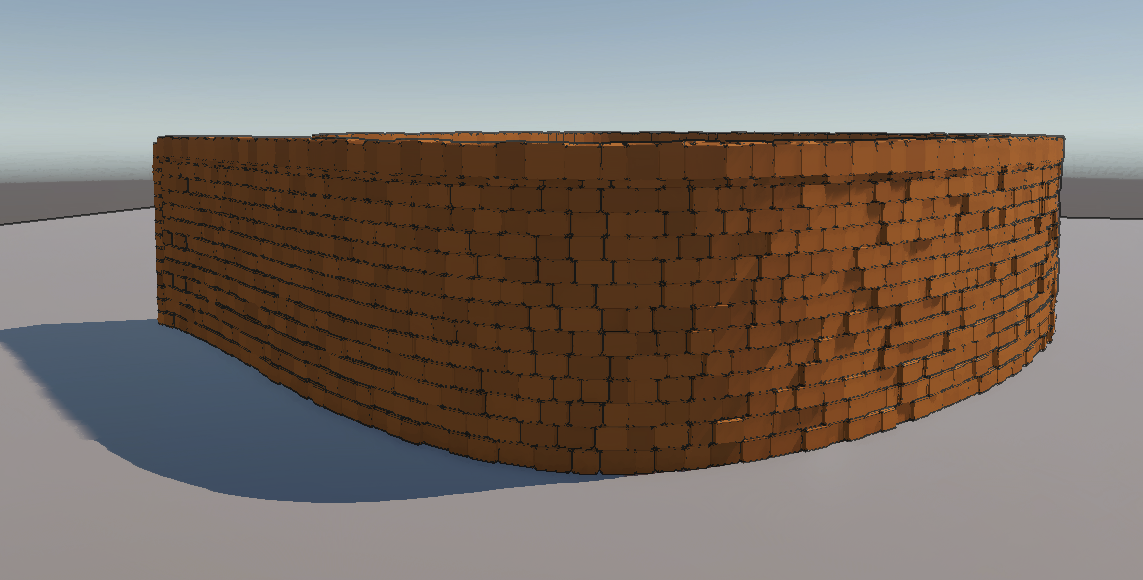
Currently, the buildings are in two categories: walls and houses.
An arbitrary amount of windows can be added to the buildins, cutting through the body.


Spline based thick wall

Implementing spline library in HLSL, I gained full control over each brick's transform along the spline.
My transform struct is:


struct TransformCS
{
    half3 position; 
    half4 quaternion;
    half4 scale;
	
    half pcgParam; 
    // 16 bit var used for any other rendering data
    // more detail in section #Aesthetic
};

Initially, each thread of the compute shader generated all bricks in one row of a bezier curve. However, players might drag out an extra long curve, which added way more instances than other curves, slowing down the corresponding threads, introducing unbalanced parallel computing.

To fix this problem, I divided each bezier curve into chunks, each thread only handles a chunk instead of an entire curve, so all threads handle generally the same amount of instances.

Another problem is gathering the curve length using arc length parameterization. For a wall with thickness, it's impractical to calculate the u-distance look up table for every offset spline. Instead of passing cached u-distance look up table, I simply run a prepass in the compute shader to accumulate the length of its curve chunk, and reuse the result for the later steps.

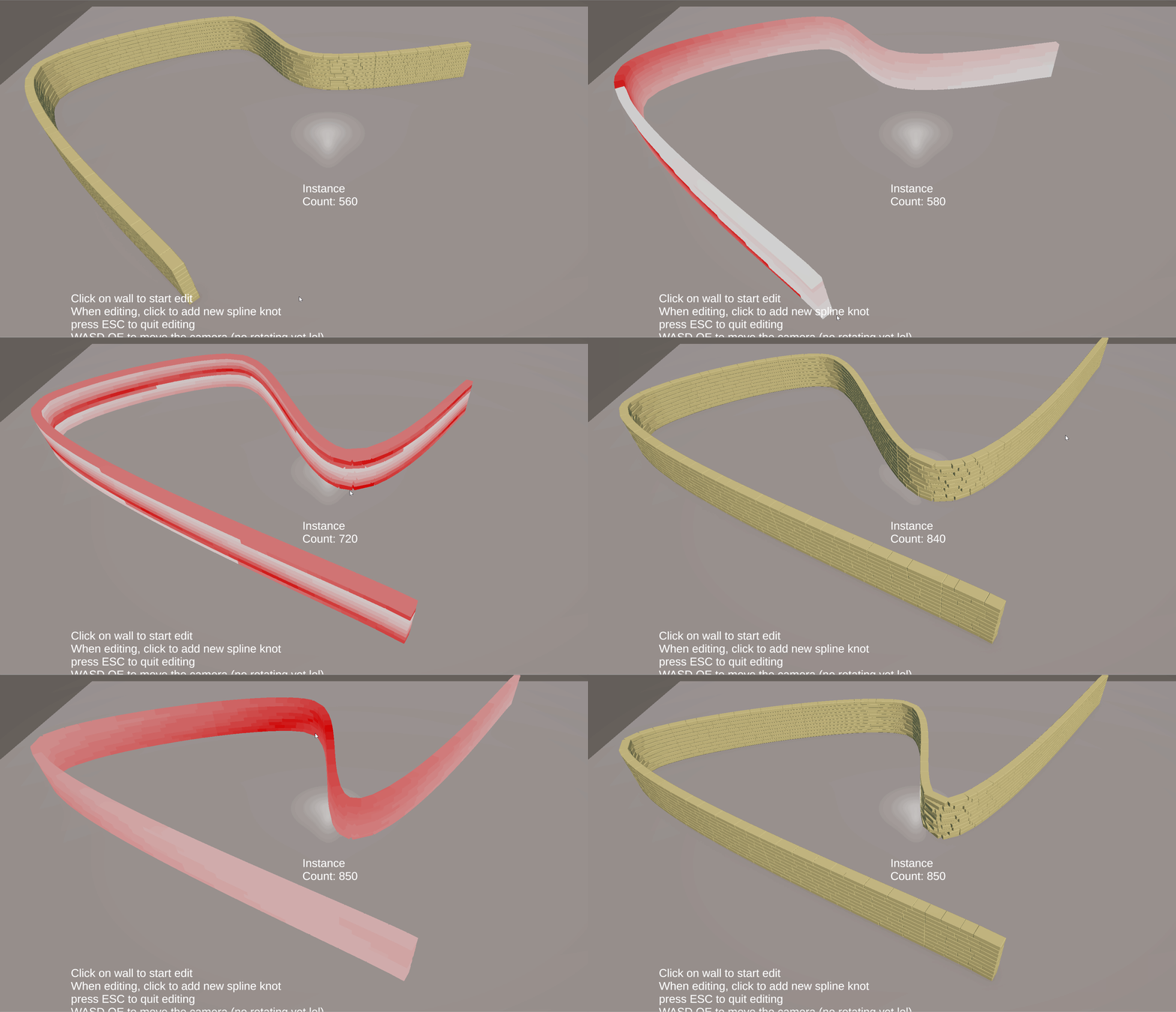
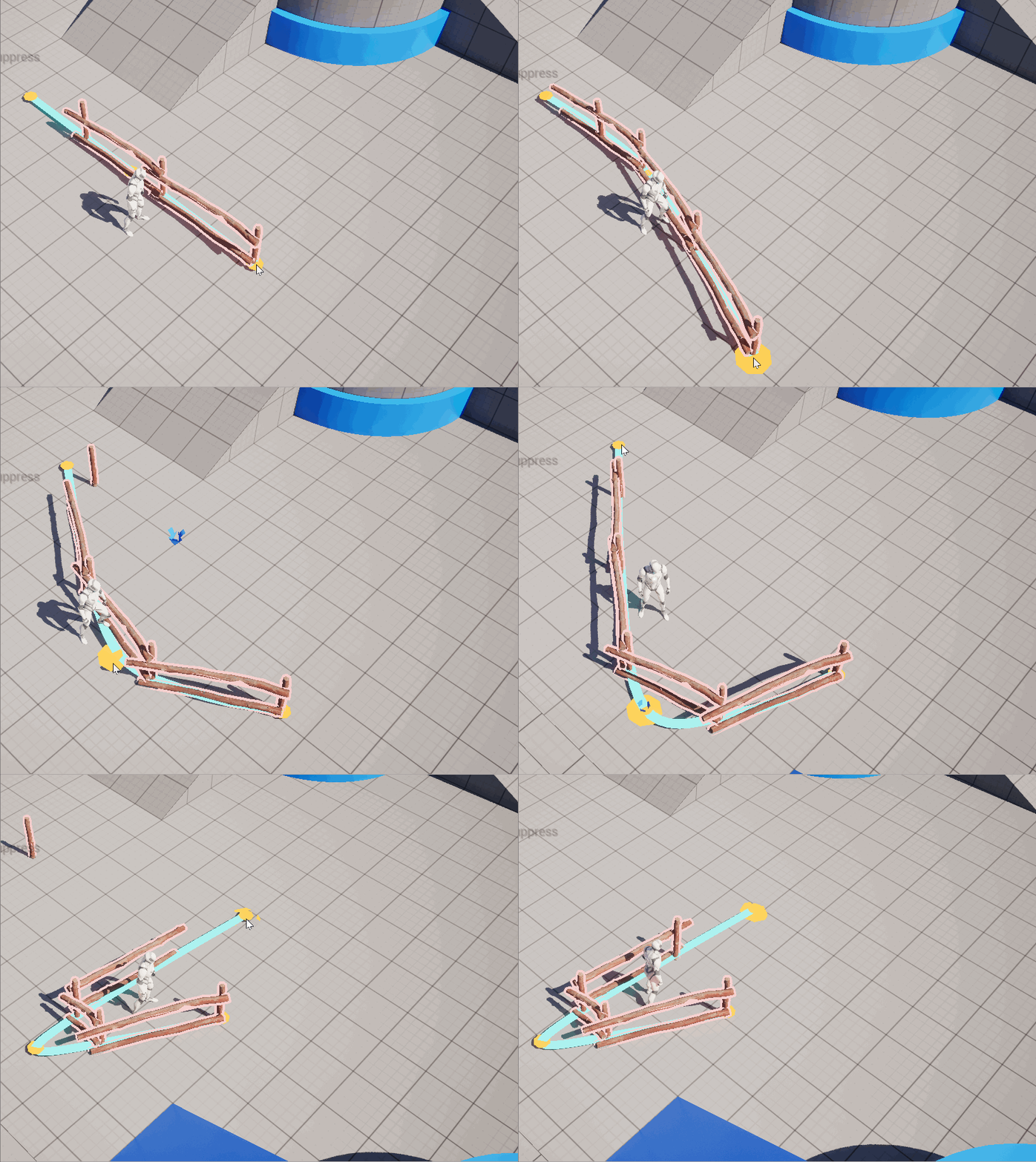
^ Building and editing a wall freely in realtime

^
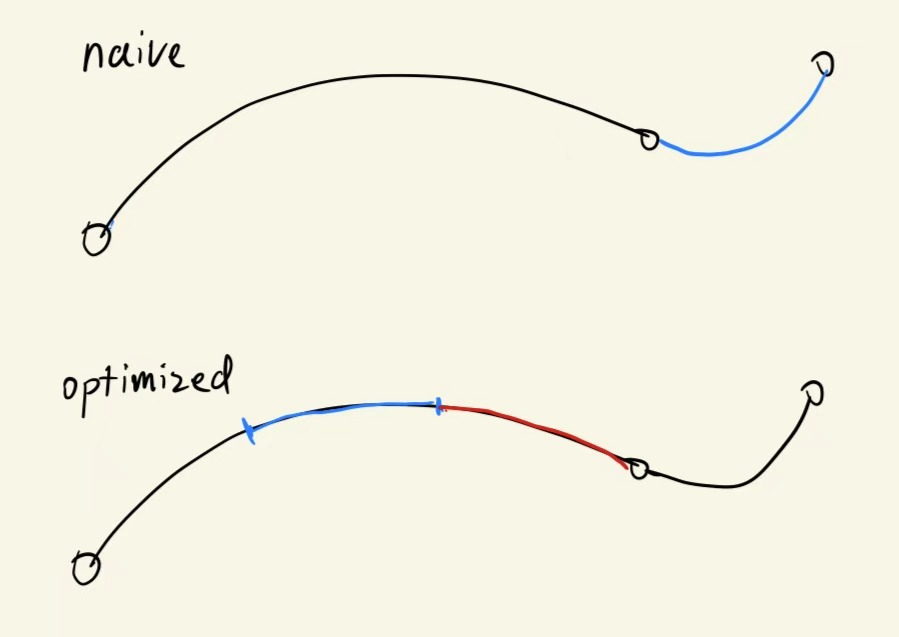
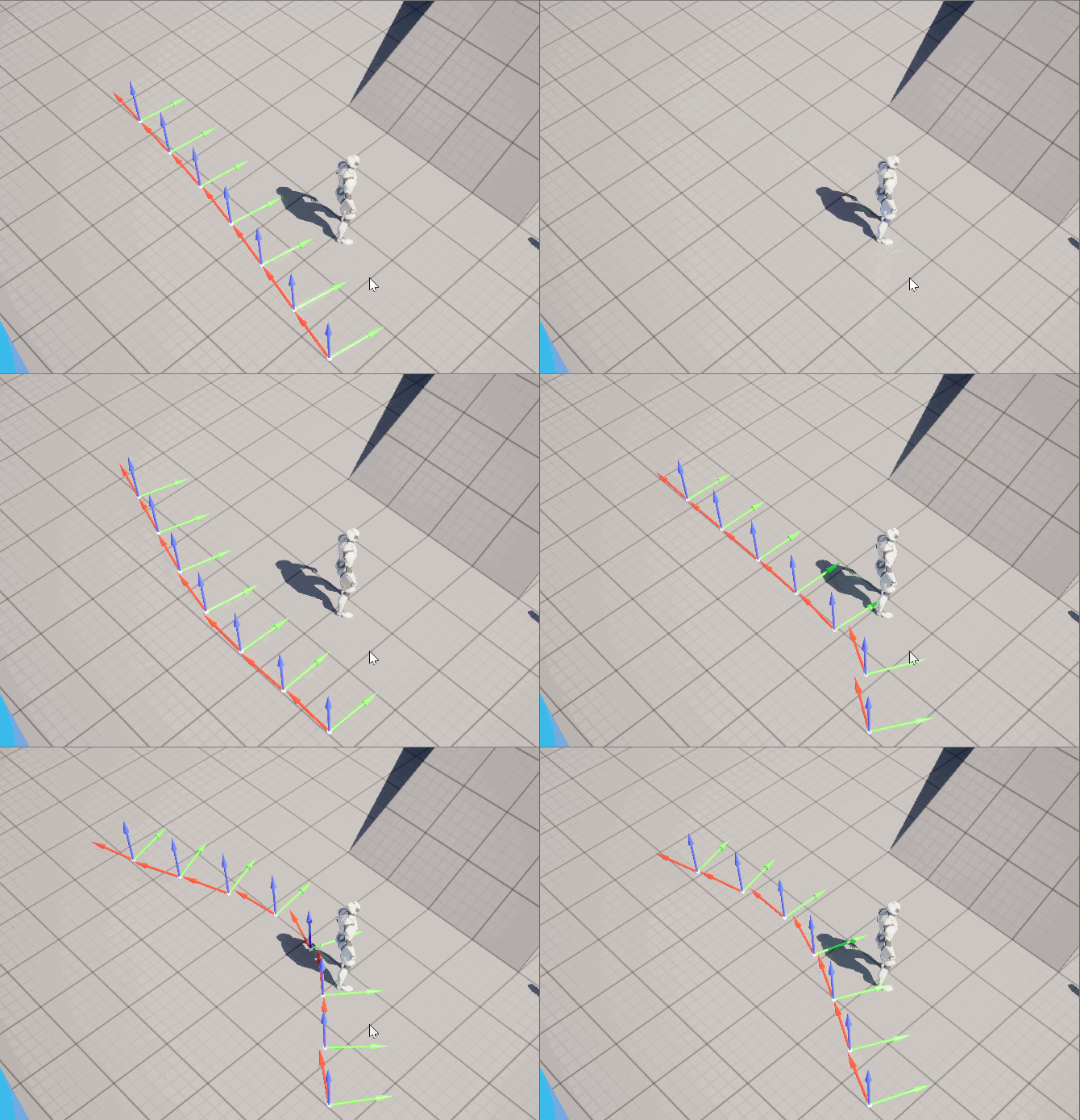
In the naive approach, each thread generates all bricks of a bezier curve (per row). Uneven curve lengths makes a few threads take significant longer time to finish.

In the optimized approach, each thread only hanles a curve chunk, all chunks' length don't exceed a certain amount. Therefore all threads' execution times are guaranteed within a limit.


Shape based houses

Using similar approaches, houses defined by simple shapes (circle, rectangles, etc) are created in realtime as well.

Building the roof was the most fun part, but involved a lot of hand tunning in the end.

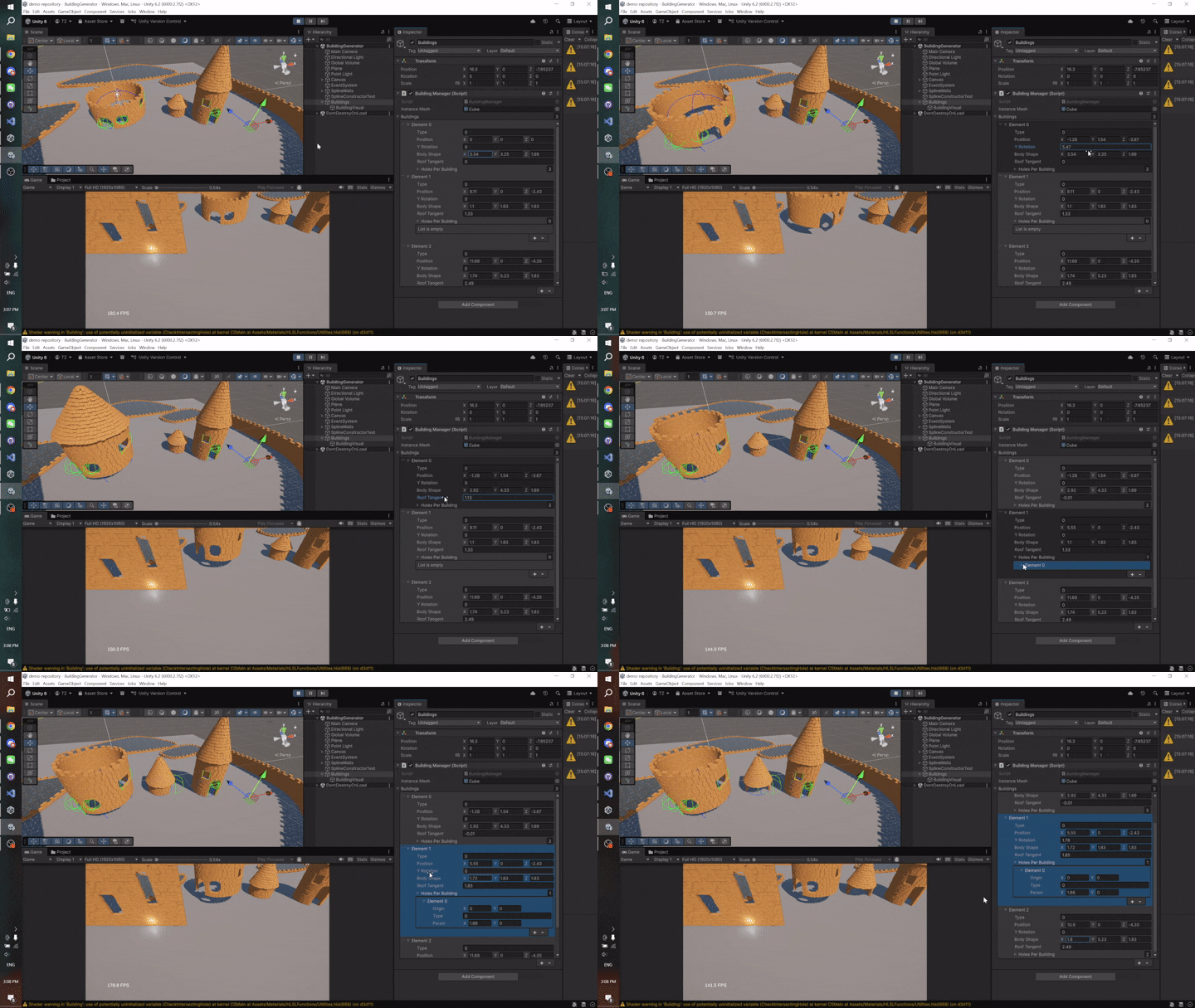
^ Changing params of a house in realtime
Buildig body is cut by 2D windows.


Cutting windows

Adding windows on buildings is a major feature in the game. As I was designing this feature in the pre-production, there are there important aspects:
- Handy to use for users
- Fast to calculate
- Easy to expand in various shapes.

My first approach is to "flattern" the spline from 3D space to a 2D coordinate. The x axis is distance along the spline.
Therefore I could cut bricks (which are rectangles in this coordinate) with my defined shapes.

While this approach seemed promising at first, it became way harder to maintain as I expanded to more shapes: for every newly added shape, a new intersection function had to be implemented. And the shader quickly grewed into a giant if tree containing many shapes.

To make things worse, once I shifted to walls with thickness, it was nearly impossible to populate window frames efficiently, because that means sampling through the bezier spline once again.

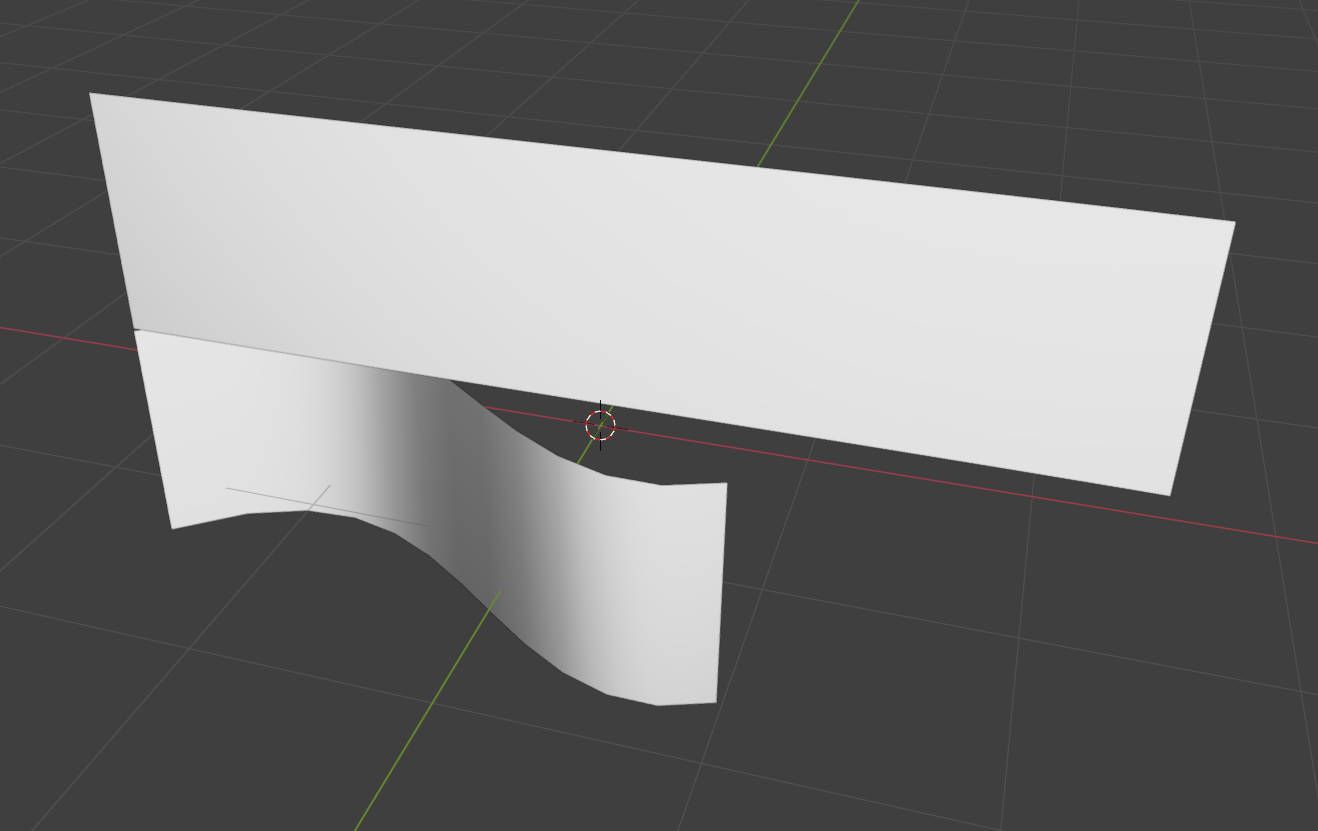
^ Press flat the bezier curve, x axis is distance along the spline

^ In 2D space, cut bricks using defined shapes

So I refactored the cutting windows. Instead of endless trimming and fixing in 2D space, the new windows are represented by oriented bounding boxes (OBB)
And extra bircks to construct window frames are only local to the OBB, decoupled from the spline it resides on.

But what about different shapes, you may ask. Well, using oriented bounding box, I'm cutting off extra bricks from the buildings. So to construct a certain shape, I'd only have to implement different filling methods inside the bounding box.

As of the transfrom of the bounding box, I can safely let CPU handle that. As of Feb 18, 2026, I implemented an auto adjusting size feature based on spline's curvature, but I don't think it suits the gameplay requirements. More updates will follow once I find some time.

↑ Back to top

Rendering optimization

As the density of bricks increased, the cost of rendering all mesh instances surpassed the cost of generating them. After profiling the frame time in RenderDoc, the bottleneck was in fragment shader.
The solution is clear: cull unseeable instances to minimize the instance draw count.

I implemented Hierarchical-Z (Hi-Z) occlusion culling after simple frustum culling wasn't enough.


Who are occluders?

For occlusion culling, the usual pipeline is to find objects in scene as occluders, pre render them to get the depth texture, and use it to test against the rest of the meshes.

Unlike most games where occluders can be picked from CPU side, in my game, most of the mesh instances are directly rendered through GPU.

If I were to pick occluders among generated mesh instances, there are two major problems:

A) It would be very complicated to pick among mesh instances to be occluders.
B) In most cases, each mesh instances only takes up a small portion of the screen, therefore to have a good culling result, more occluder must be pre-rendered, kinda a pickle.


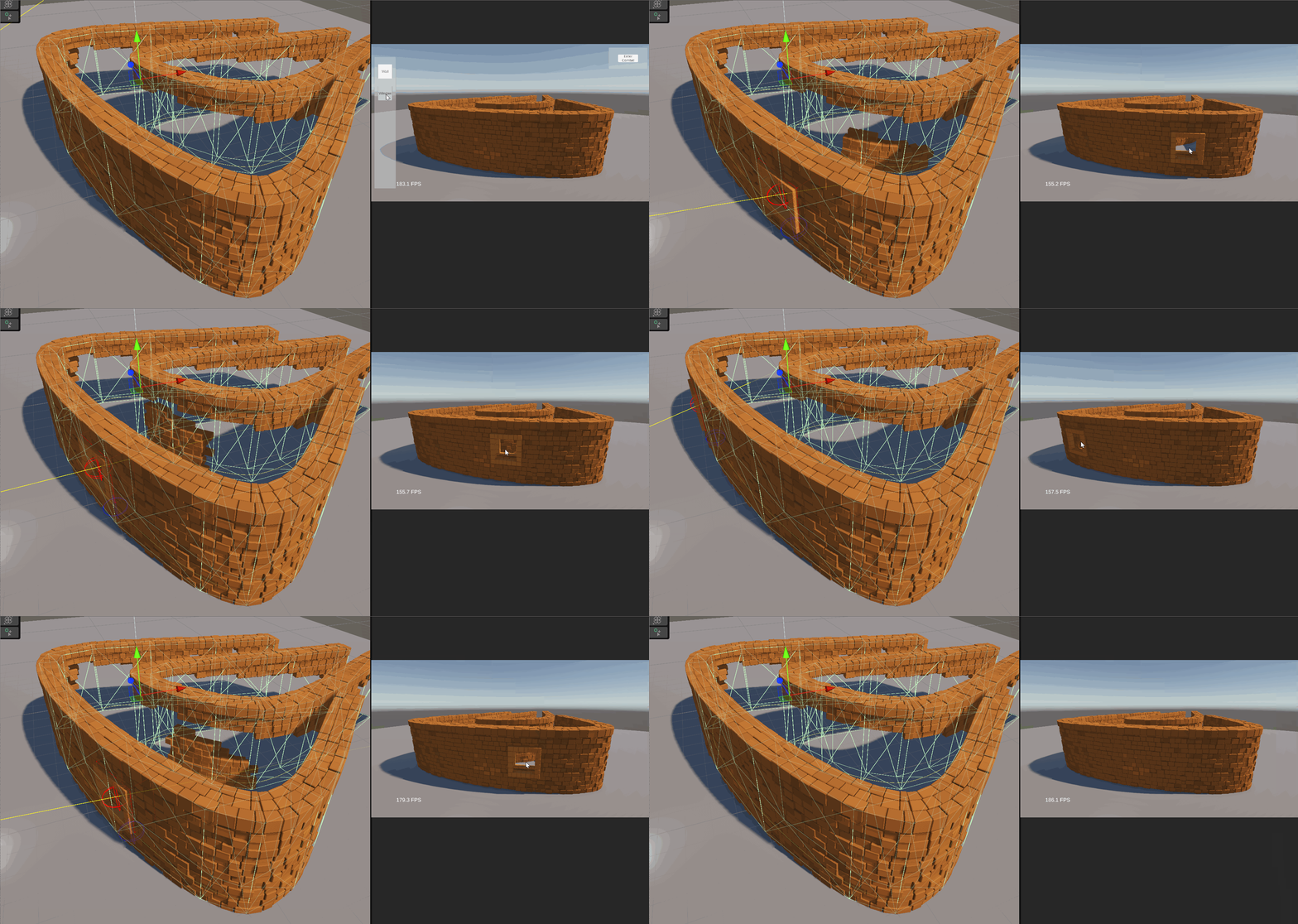
You might see the collider meshes I generated along the spline (the green wireframe of the gif in right hand side), and wonder if they are good occluder candidates.

Well, they are... if there's no cutting windows on the wall...
When there's a window on a building, the player would expect to see what's behind.

Given the complexity of procedurally generated buildings, what I needed is a culling pipeline completely decoupled from the generation stage.


My implementation of Hi-Z occlusion culling

My pipeline:

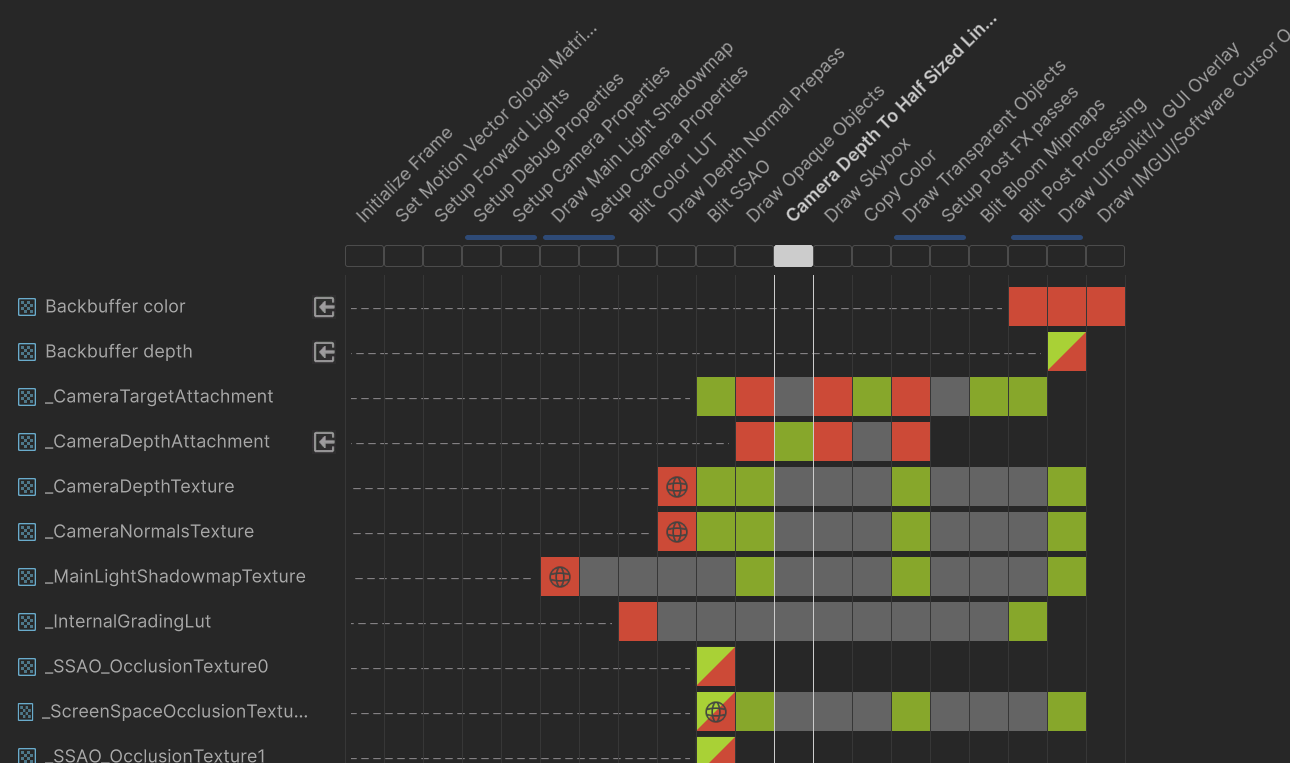
Blit last frame's depth texture from URP Render Graph System
  ↓
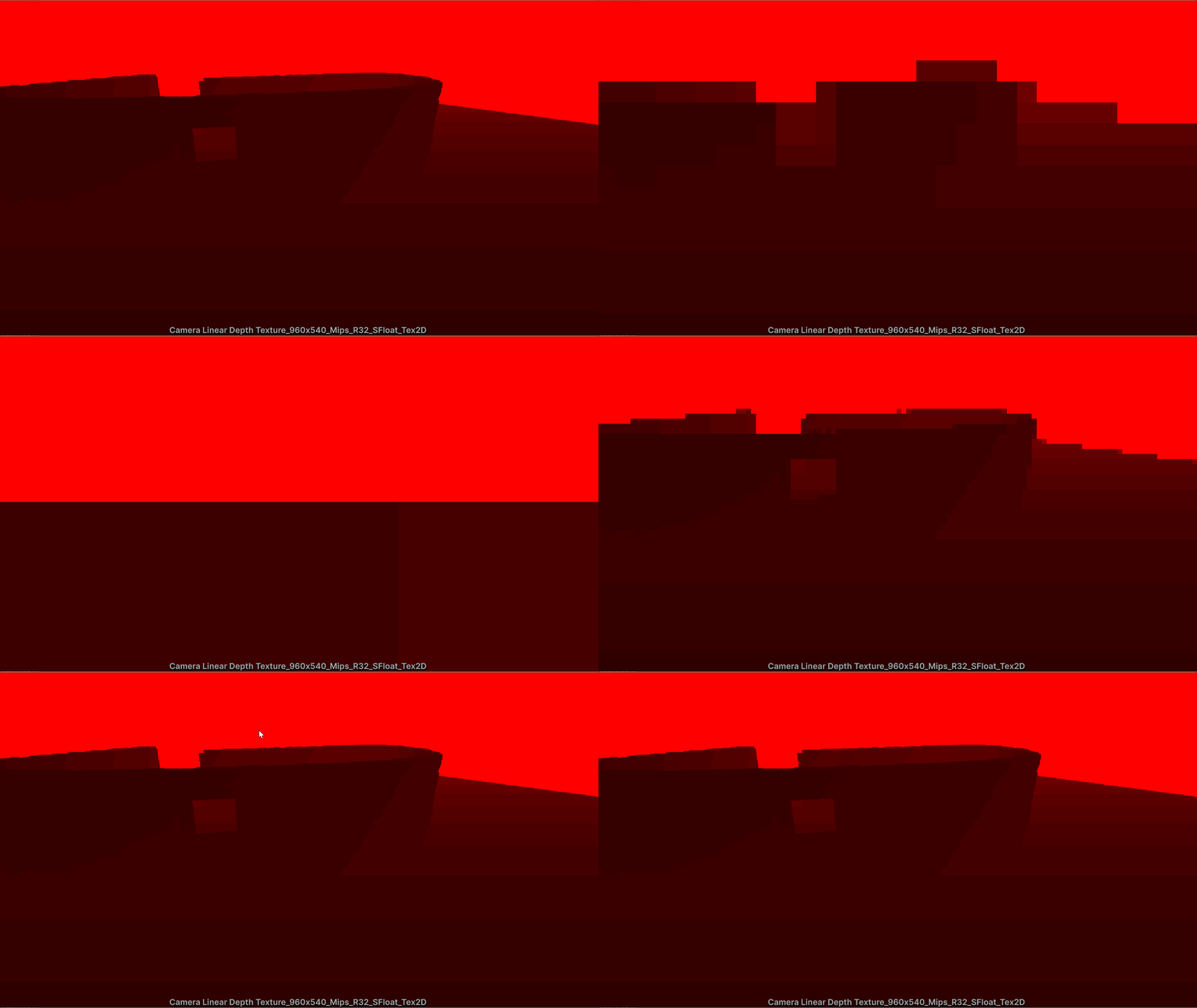
Generate hierarchical depth texture, stored in mipmap. For each mip level, store the largest value (the futherest distance)
  ↓
For each instance, transform the 8 vertices of its bounding box to uv space, forming a rectangle on screen. Use the size of the rect to find the correct mip level
  ↓
Test all 8 vertices against the depth value stored in mip, here the coordinate system might differ between texture space and screen's uv space.
  ↓
Cull the instances that are entirely behind the depth


I have a more detailed introduction of each step in my LinkedIn.

^ Injecting my custom pass in URP Render Graph System to blit the depth texture

^ Generate mip maps, only taking the max value (the furtherest distance)

^ Working Hi-Z occlusion culling result.
Depth texture fetched and mipmap generated each frame.
Players can see through the windows.

↑ Back to top

Aesthetic

Coloring

The color of the bricks is an important visual cue for gameplay as well as aesthetic.

In fragment shader, I referenced an albedo texture, divided into 16 grids, containting all combination of the base color, you can think of it as a lightweight texture atlass.

The user can specify an int ranged [0, 15] for each curve to decide its color. This index is then passed to pcgParam field in the TransformCS struct, becoming a 16-bit float (half).

And in generation shader, its decimal part is randomized, which affects the luminance and hue based from the albedo color.

^ The testing albedo texture atlass, the color to pick is indexed by pcgParam compacted in the TransformCS struct.
With proper uv unwrapping, it works just like any albedo texture.


Oil Painting Post FX

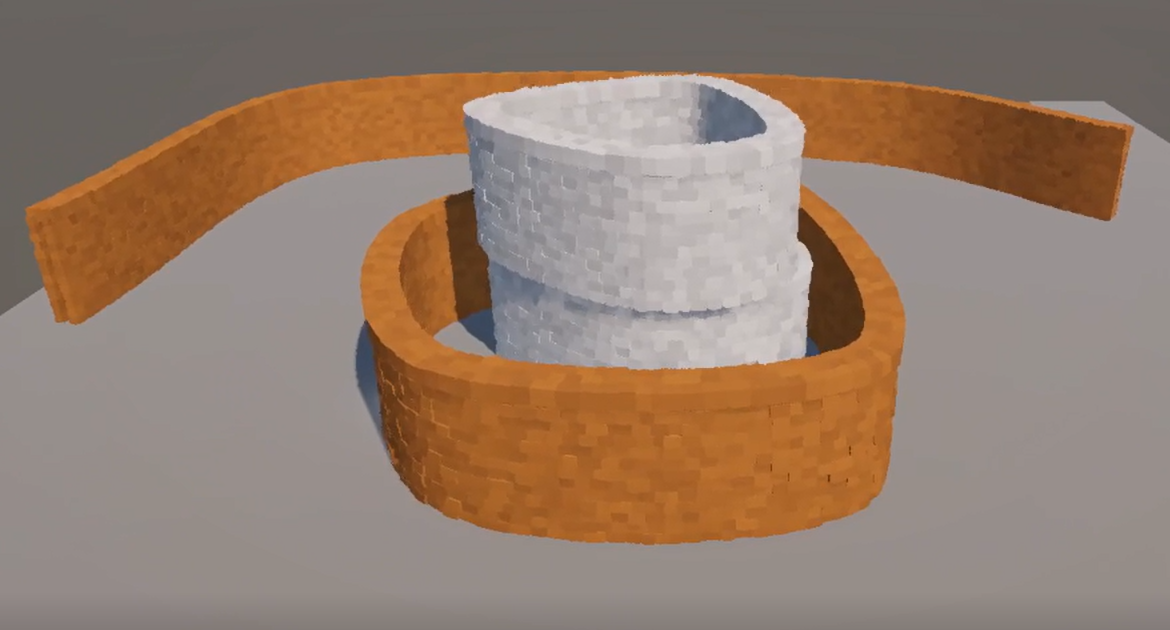
I wanted to apply a NPR aesthetic but slightly different from toon shading. After some research, Kuwahara filter became my choice. It creats an oil painting effects, abstracting the far objects, while still preserving the edges on closer objects.

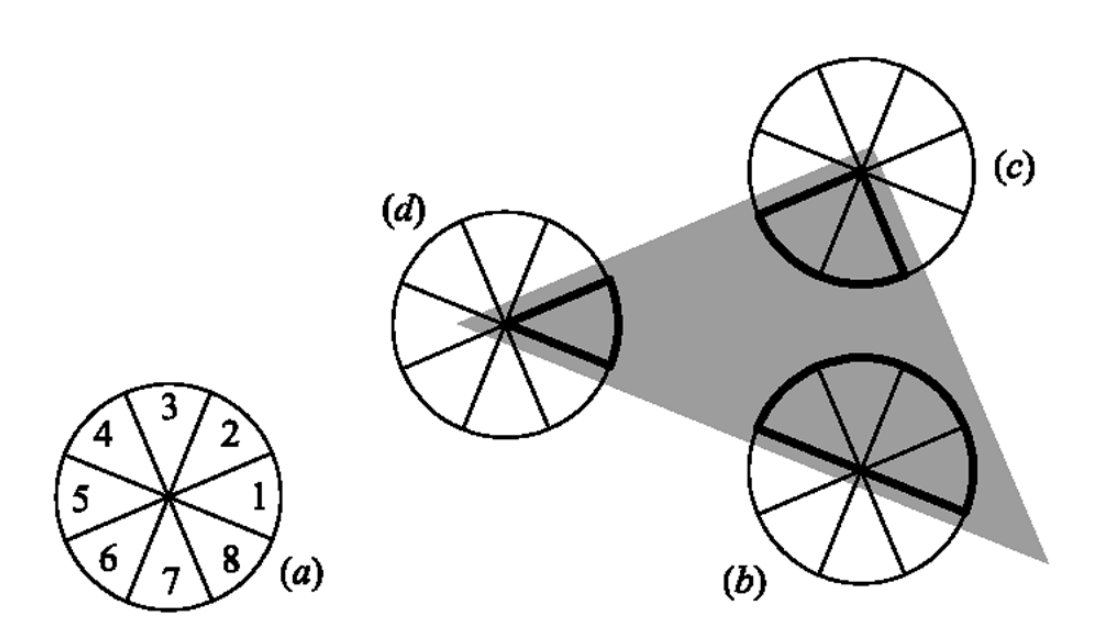
I first tried the original Generalized Kuwahara Filter by Papari et al , where they divided the neighboring into 8 slices in a circle, and take the most influential slices as the fragment's color. ^ the 8 slices surrounding the target fragment, image from the original paper by Papari et al.
However, I experienced a huge performance impact, even after I replaced the gaussian weights with a polynomial function in this paper. The heavy filter dropped my fps from ~400 to ~150 :(

Inspecting the implementation, I concluded that the main bottleneck is the GPU memory: the filter stores 8 float4 for every pixel (because there's 8 slices), and averaging them by weights.
However, if the sharpness is high enough, the result is basically the same with picking the color of the most influential slice.

Therefore, instead of stroing 8 float4 for each pixel, I just put it into a loop, selecting the most influential slice, and use its average color. The result is equivalent to the original filter with a high sharpness tune, with works well in my game.
Most importantly, this change saved my framerate from 150 to 250.

I also tried an outline filter on top of the Kuwahara

↑ Back to top

Editor Tool

Spline editor

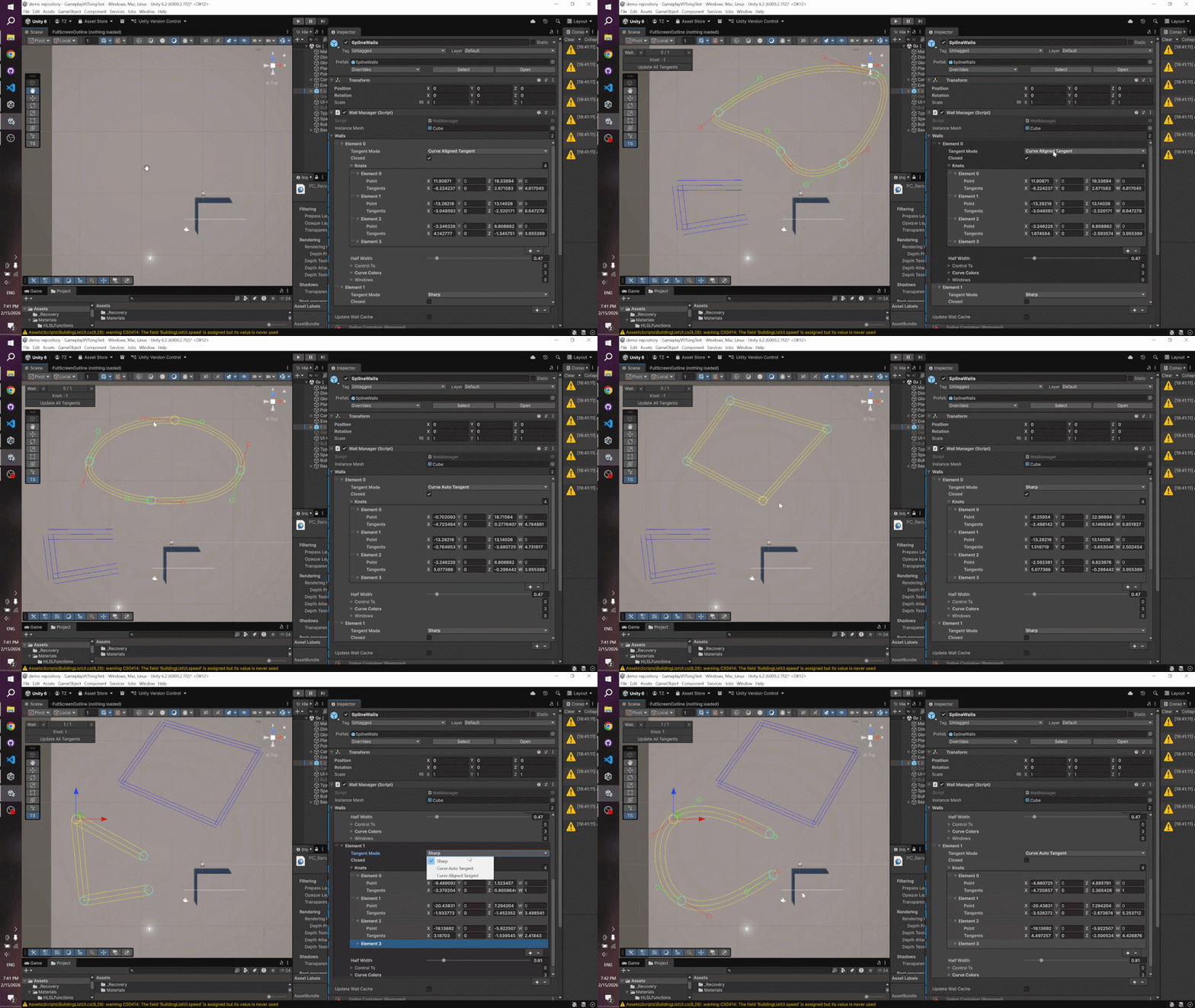
I implemented my own spline library to best fit the wall feature: it supports offset width, heights, and various tangent mode.

To help level layout and debugging, I designed a spline editor tool, efficiently packaging all potential gameplay inputs.

^ Spline editor tool

↑ Back to top